




No products in the cart.
Back
Aerospace
Design
Leadership
Motion
Product
R&D
Strategy
Visualization
January 6, 2025Fencing Shoes: Reverse Engineering for Web Integration
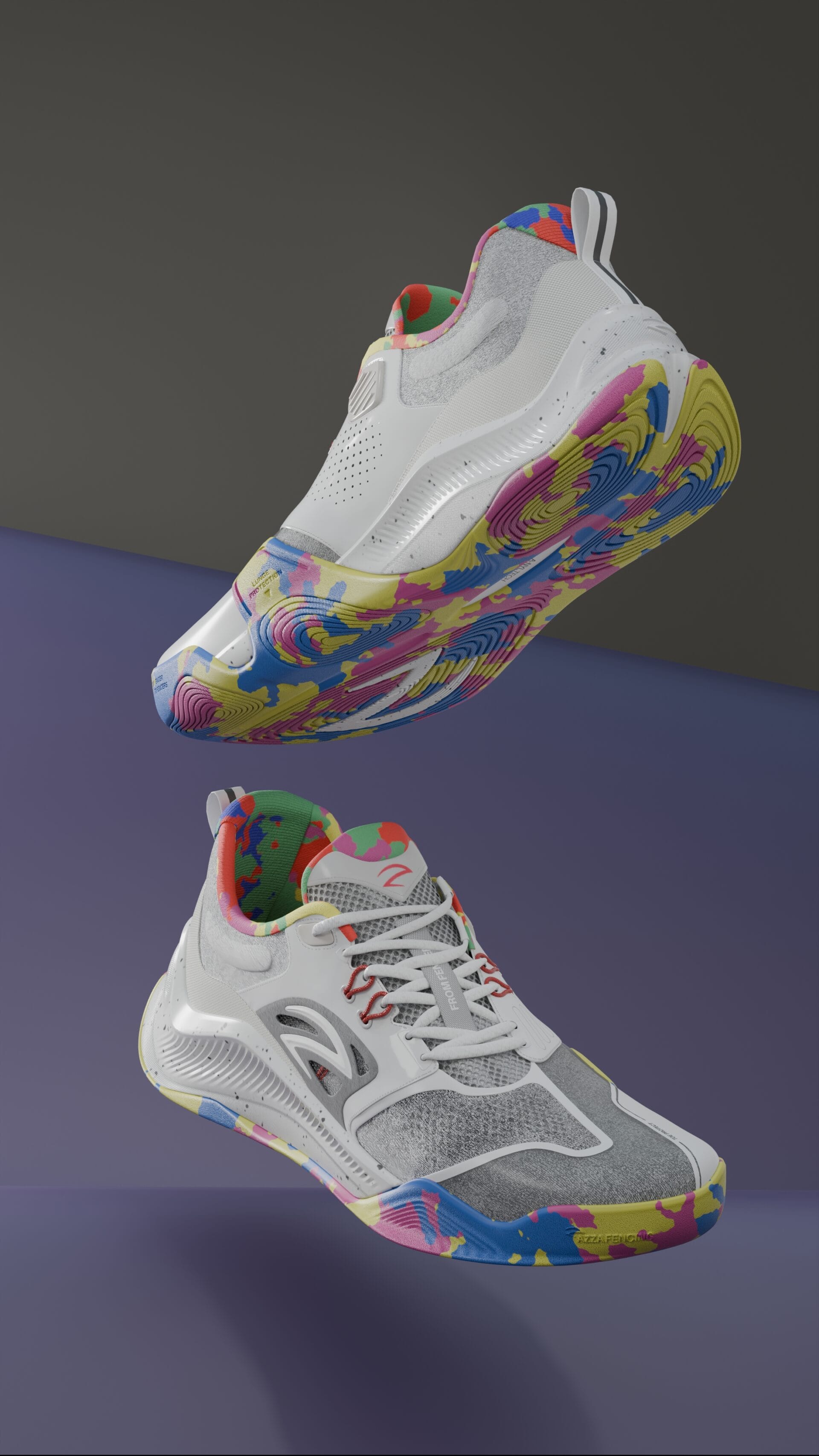
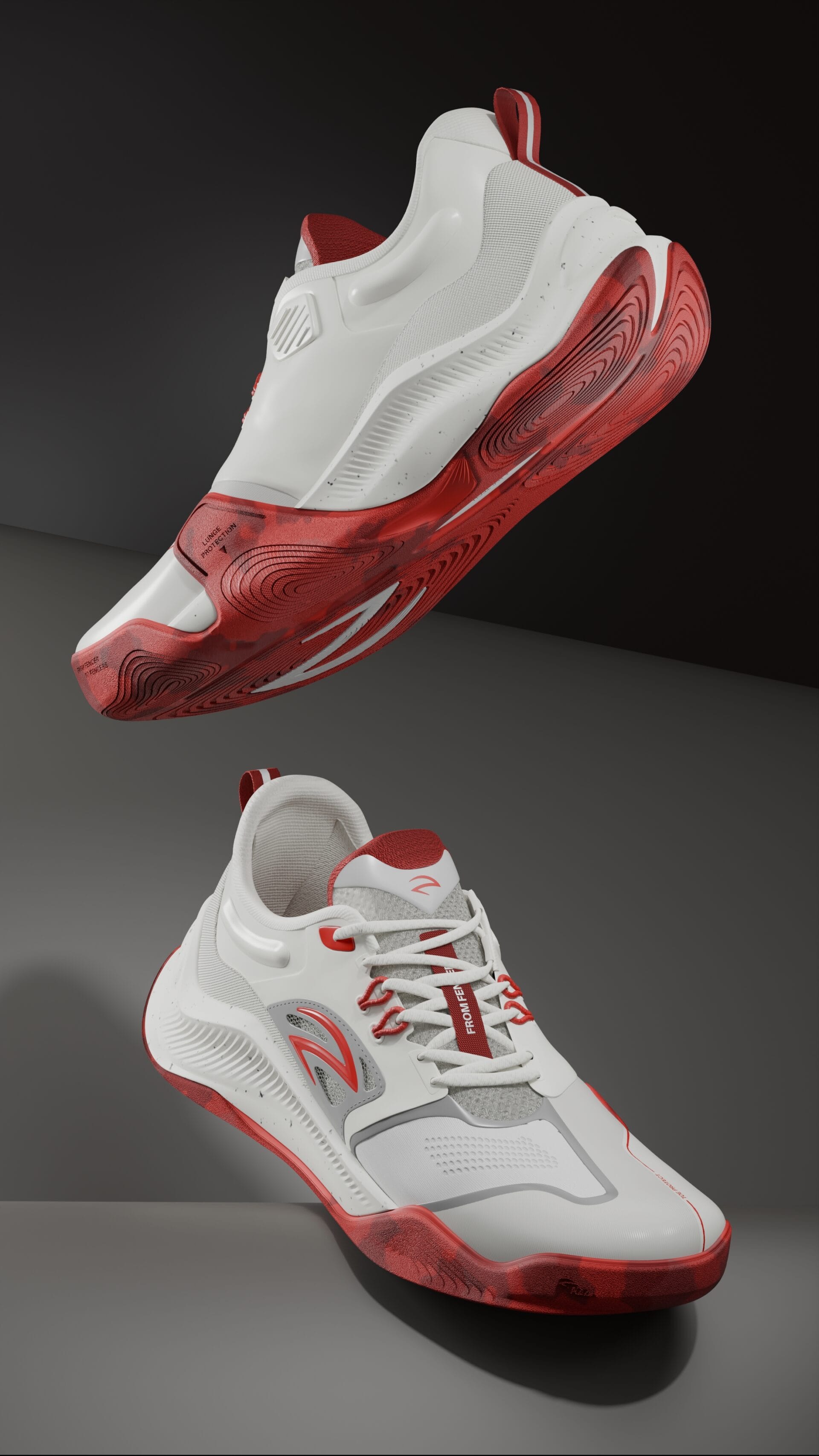
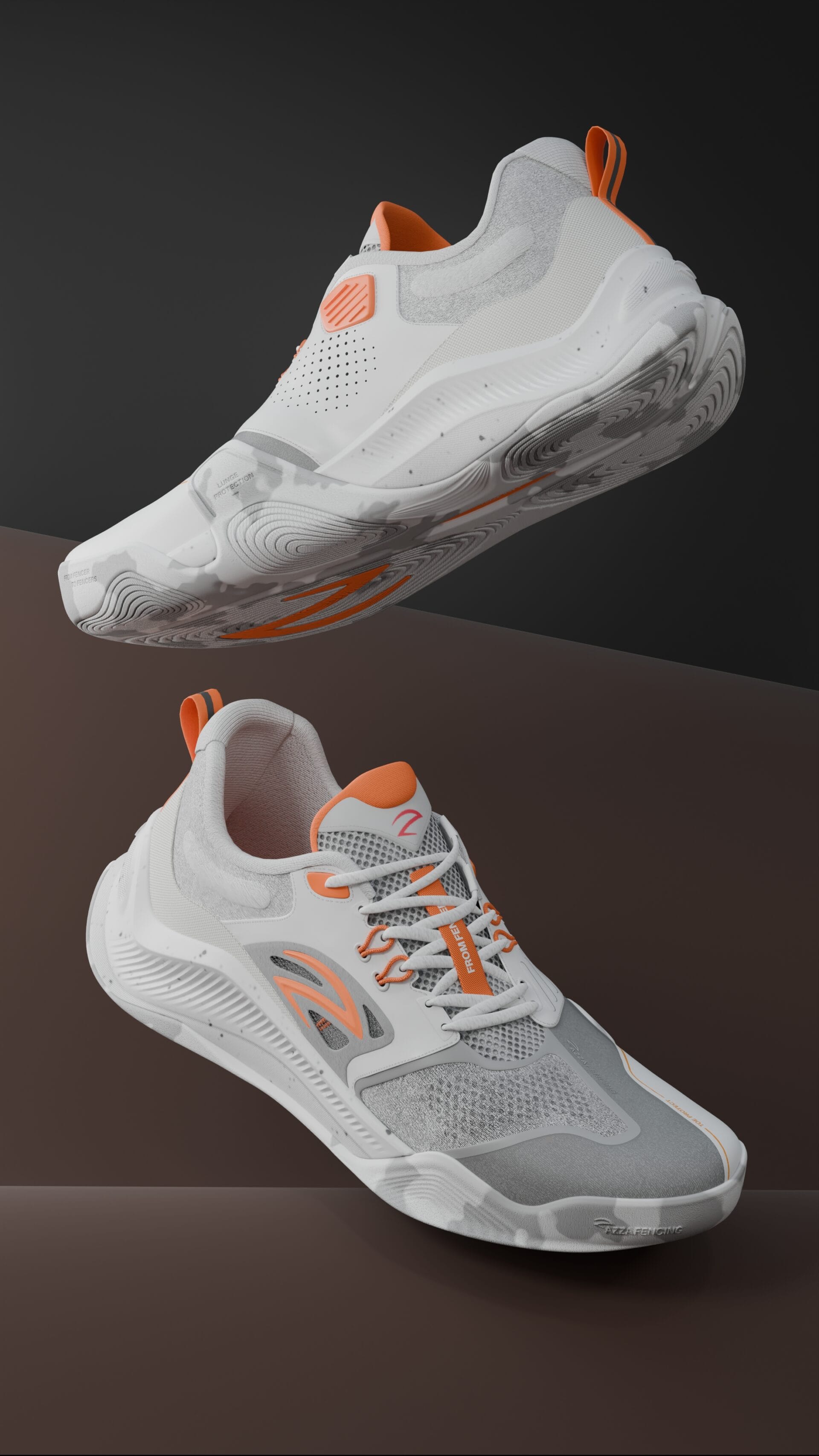
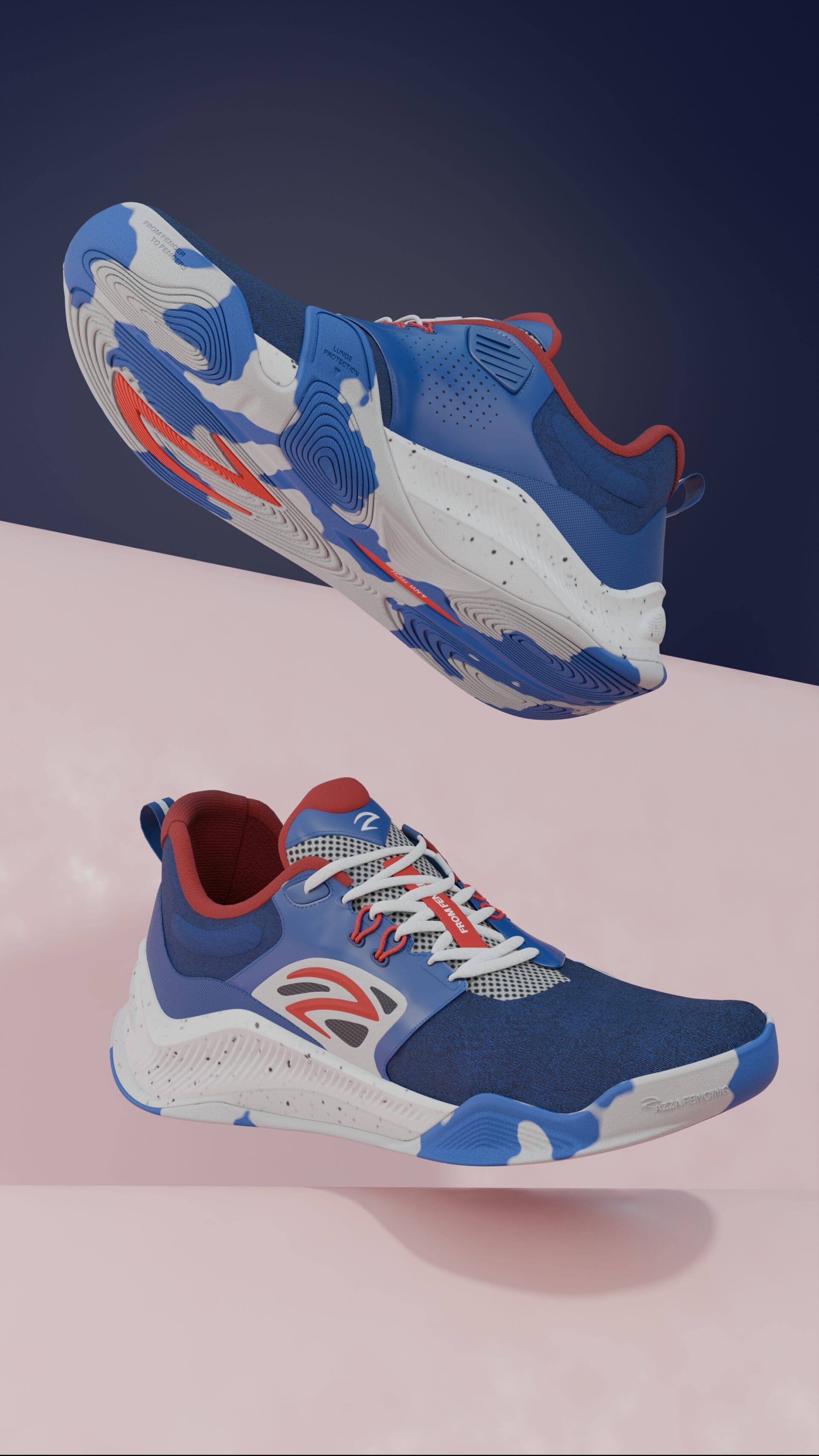
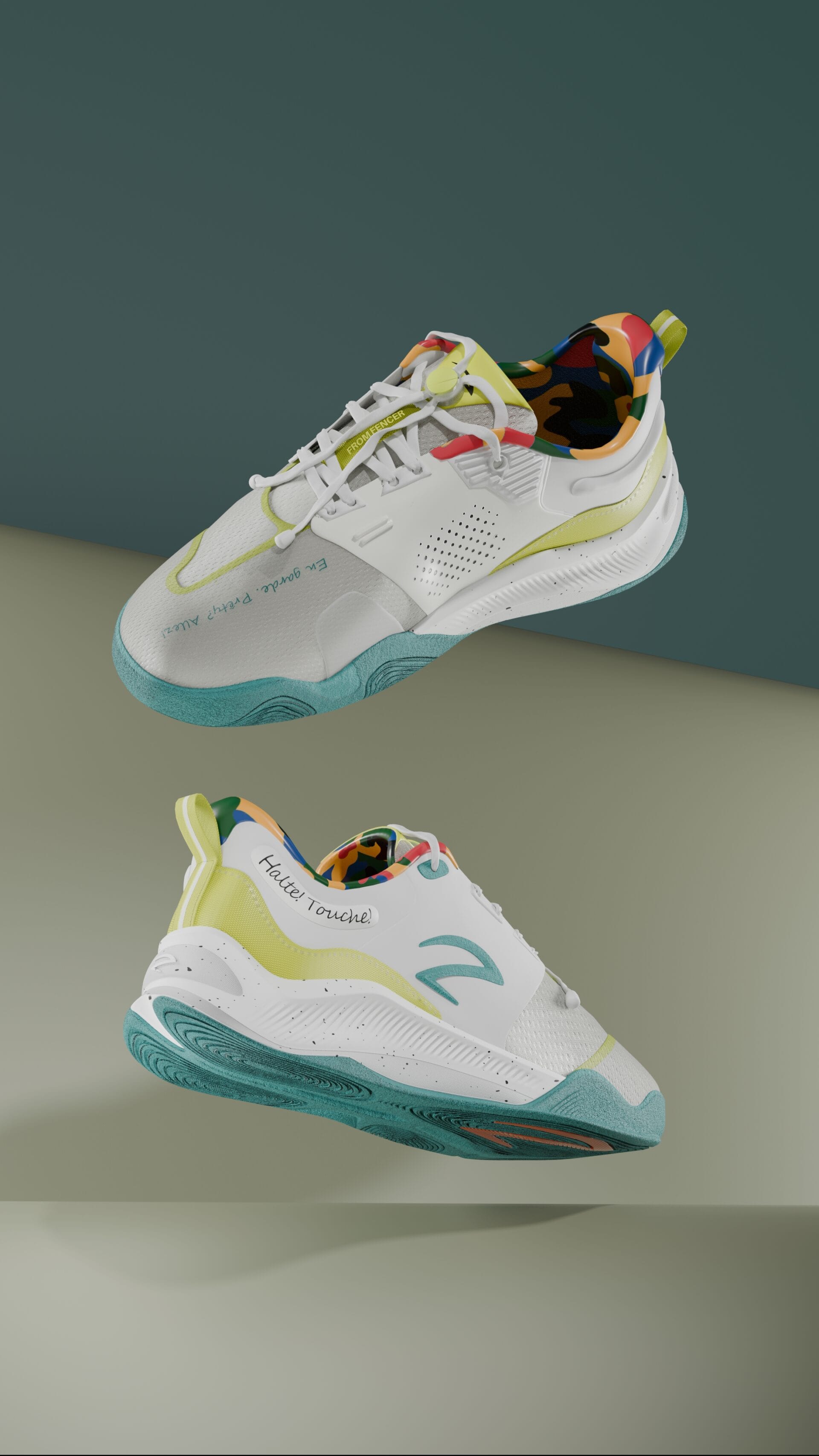
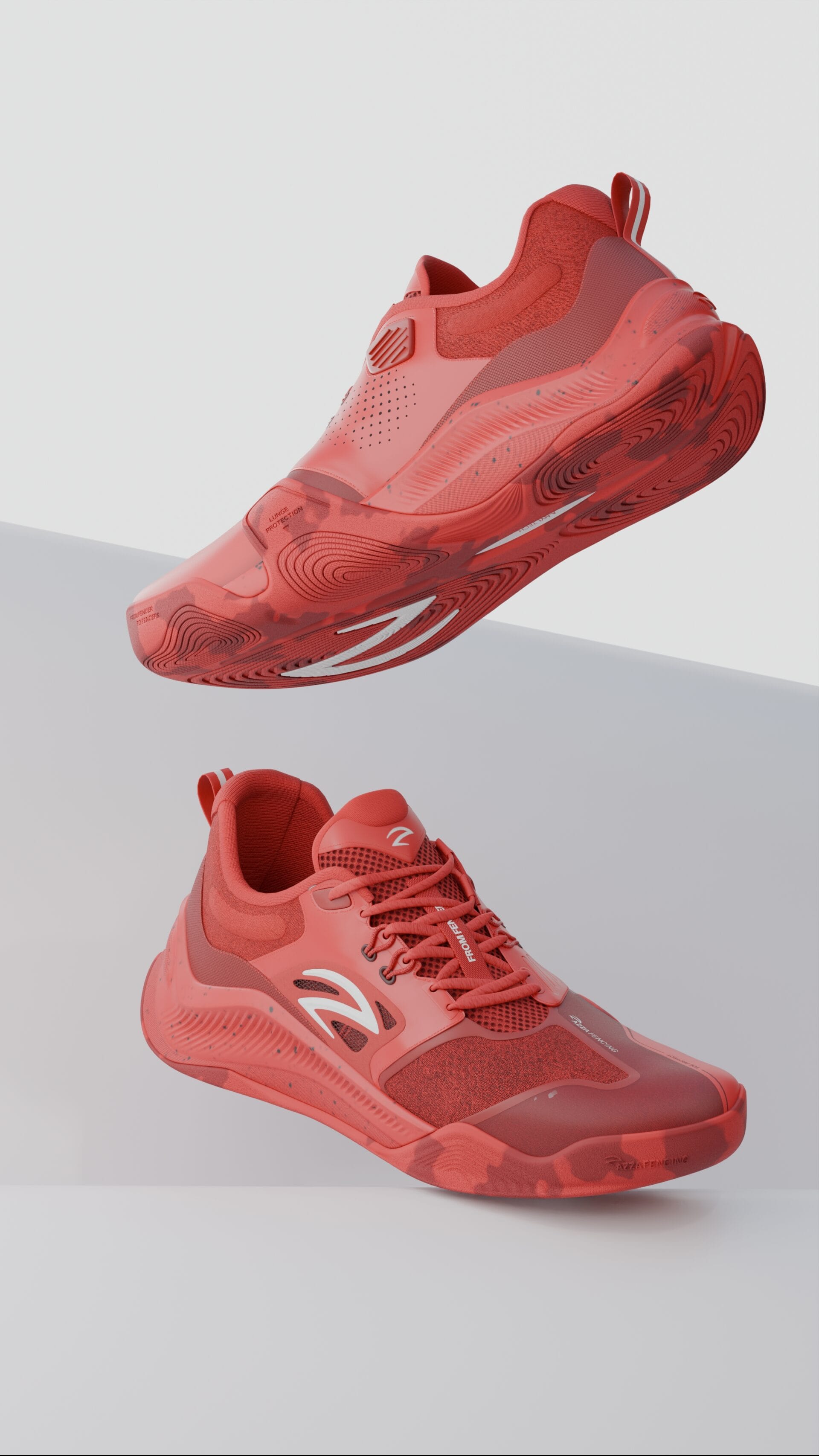
A Tunisian fencing footwear startup needed high‑quality 3D models of their physical shoes for their website. I reverse‑engineered the shoes from customer photos only – no CAD files, no scans, no physical access. I modeled, textured, and rendered the shoes, then proposed an optimized web integration workflow that loads fast and looks photorealistic.
Task
Deliver web‑ready 3D models that look like the real shoe, load fast, and work on standard browsers (no plugin required
Client
Azza fencing
01 // Project Overview
What value
did i add ?
Reverse engineered from photos – built accurate 3D models using only customer‑supplied images of the physical product. No original CAD, no 3D scanner, no physical sample in hand.
Delivered production‑ready assets – textured and rendered shoes ready for web, e‑commerce, and marketing use.
Proposed web optimization workflow – reduced model file size by 80%+ while preserving visual quality, enabling fast loading on the startup’s website without expensive plugins or dedicated 3D viewers.
Enabled interactive product viewing – customers can now rotate, zoom, and inspect the shoes from any angle, increasing purchase confidence.
“From photos to interactive 3D; no scanner, no original CAD, just reverse engineering skill.”
02 // Challenges
The Problem
I was solving.
The startup had:
Physical shoe prototypes – but no 3D models for their website.
Only customer photos – inconsistent lighting, angles, and quality.
No budget for 3D scanning – industrial scanners cost thousands.
A website that needed product views – static images were not converting well.
03 // Approach
Engineering
approach.
Phase 1 – Photo analysis & reference gathering
Collected 12–15 photos per shoe (different angles: front, side, back, top, bottom, 45°).
Identified key dimensions from proportional reasoning (e.g., outsole length relative to known standards).
Noted material zones: mesh upper, synthetic leather overlays, rubber outsole, laces, heel counter.
Phase 2 – Reverse engineering modeling
Used Blender to model from reference images.
Placed background images in orthographic views (side, front, top).
Modeled outsole first (hardest dimension to get wrong) → built upper around it.
Iterated proportions 4 times by comparing render to original photos.
Phase 3 – Texturing & materials
Created realistic materials: knitted mesh, matte synthetic leather, rubber with grip pattern, glossy heel logo.
Used procedural textures where possible (no external image textures needed).
Applied subtle wear and stitching details for realism.
Phase 4 – Rendering
Rendered in Blender Cycles (high‑quality lighting and shadows).
Set up 3-point studio lighting for e‑commerce presentation.
Produced: turntable animation, still renders (white background), and hero shots with dramatic lighting.
Phase 5 – Web optimization proposal
Analyzed startup’s website platform (assumed standard WooCommerce/Shopify).
Exported models as glTF/GLB (best web format).
Reduced polygon count from 500k to 80k while keeping silhouette and details.
Proposed ModelViewer (open source, no license cost) for interactive embedding.
Delivered a working HTML example page showing the shoe rotatable in a browser.
04 // Statistics
Business
impact.
0 €
Cost avoided
avoided 3D scanner cost the project didn’t have
0
Days
Ten days for two shoe models
0%
File size reduction
Smaller size ment 70% faster load time on the website
0 €
Cost of implementation
Open source web implementation, no subscription based solution
05 // Honors
Client
feedback.
Now the website can display shoes in full 3D: customers rotate, zoom, and inspect before buying. This reduces returns (customers see exactly what they get) and increases time spent on product pages.
06 // How i did it
Skills put
in action.

Reverse
Engineering.
- Proportional dimensioning without physical measurements
- Orthographic reference alignment
- Iterative proportion verification against source images

Texturing &
Rendering.
- Procedural materials (mesh knit, synthetic leather, rubber)
- Cycles rendering with studio lighting setup
- Turntable animation and still product shots

Design
& 3D Modeling.
- Polygon modeling (subdivision surface workflow)
- Shoe anatomy: outsole, midsole, upper, heel counter, laces
- Symmetry modeling with mirror modifier

Web optimization
& integration.
- glTF/GLB export with compression
- Polygon reduction (preserving silhouette)
- ModelViewer implementation (HTML/CSS/JS)
- Cross‑browser testing (Chrome, Safari, Firefox, Brave…)